


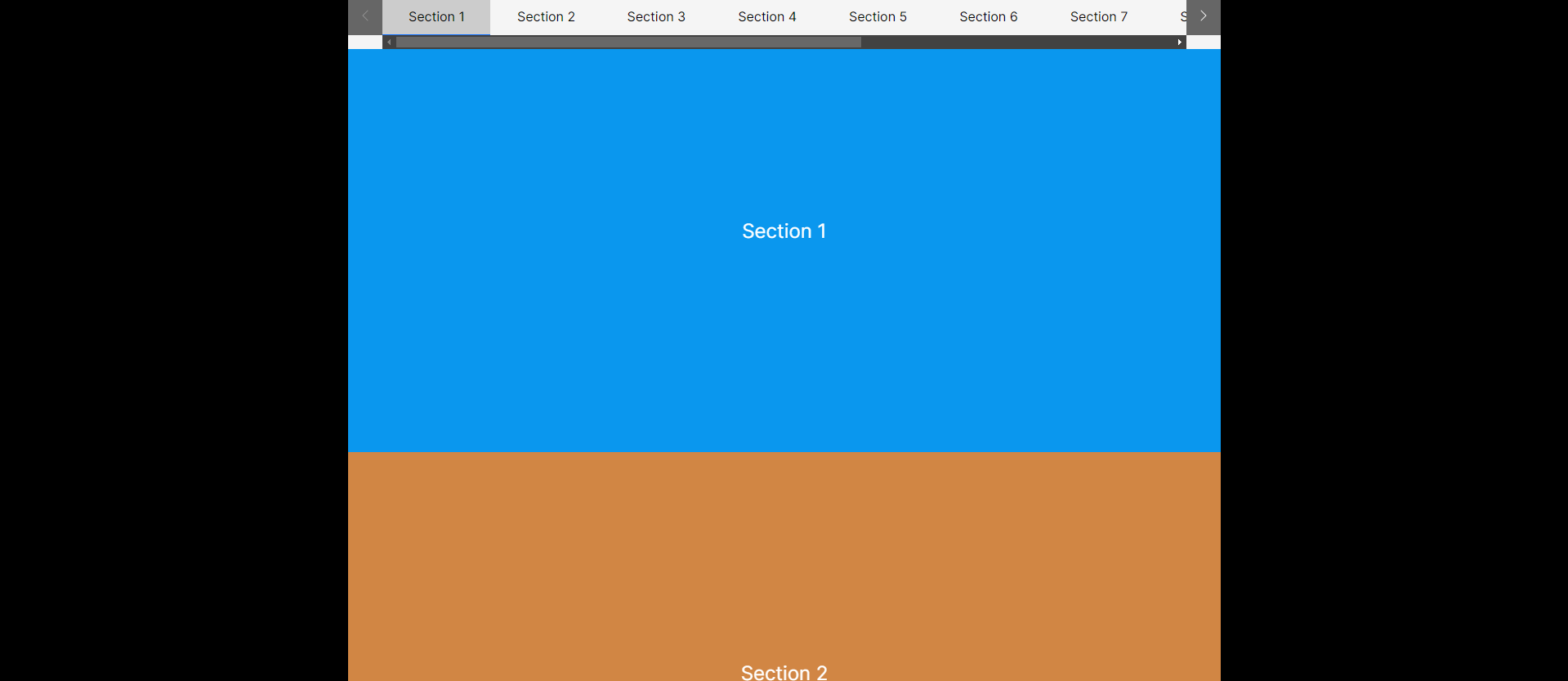
This is a scroll spy component with active element scrolling to the center and having navigation arrows to scroll left and right. Styles are not included in this example. Please add necessary style as the project needed.
// components/ScrollSpy/index.js
import { useEffect, useState, useRef } from "react";
import { ScrollNav } from "./ScrollNav";
import Style from "./ScrollSpy.module.scss";

const ScrollSpy = ({ children, verticalNav, nav, offset }) => {
  const navParent = useRef(null);
  const [activeNav, setActiveNav] = useState(null);
  useEffect(() => {
    let scrollViewAdjust = offset || 0;
    if (!verticalNav) {
      scrollViewAdjust += navParent.current.clientHeight;
    }
    const scrollables = document.querySelectorAll("[data-scrollspy]");
    const observer = new IntersectionObserver((entries) => {
      entries.forEach((entry) => {
        if (entry.isIntersecting) {
          setActiveNav(entry);
        }
      });
    },{
      root: null,
      rootMargin: `0px 0px ${scrollViewAdjust || 0}px 0px`,
      threshold: [0, 0.1, 0.2, 0.3, 0.4, 0.5, 0.6, 0.7, 0.8, 0.9, 1],
    });
    for (let scrollable of scrollables) {
      observer.observe(scrollable);
    }
    return () => {
      observer.disconnect();
    };
  }, []);

  return (
    <div className={`${Style.scrollspyWrp} ${verticalNav ? Style.navVertical : ""}`}>
     {/* ScrollSpry navigation, There is 2 scrollnav components for vertical nav and horizontal nav for work position: sticky in both cases, Working on a workaround */}
     {verticalNav ? (
       <div>
        <ScrollNav
          options={nav}
          ref={navParent}
          offset={offset}
          activeNav={activeNav}
          verticalNav={verticalNav}
        />
       </div>
      ) : (
       <ScrollNav
         options={nav}
         ref={navParent}
         offset={offset}
         activeNav={activeNav}
       />
       )}
       <div className={Style.scrollspyContentWrp}>{children}</div>
    </div>
  );
};

export default ScrollSpy;
// components/ScrollSpy/ScrolllNav.js
import { forwardRef, useEffect, useRef, useState } from "react";
import Style from "./ScrollSpy.module.scss";
import IconLeft from "../icons/IconLeft";
import IconRight from "../icons/IconRight";
import useScrollSpyNav from "./useScrollSpyNav";

export const ScrollNav = forwardRef((props, ref) => {
  const { options, activeNav, verticalNav, offset } = props;
  const scrollSpyNav = useRef(null); // navigation parent element
  const {
    onClick,
    isActive,
    scrollLeft,
    scrollRight,
    disableScrollLeftButton,
    disableScrollRightButton,
  } = useScrollSpyNav(scrollSpyNav, activeNav, verticalNav, offset);

return (
  <nav
   className={`${Style.scrollspyNav} ${verticalNav ? Style.verticalNav : ""}`}
   style={{ "--offset-height": `${offset}px` }}
   ref={ref}
  >
  <button
   onClick={scrollLeft}
   className={Style.leftNav}
   disabled={disableScrollLeftButton}
  >
   <IconLeft />
  </button>
   <ul
     className={`${Style.scrollspyNavList} ${
      verticalNav ? Style.verticalNav : ""
    }`}
    ref={scrollSpyNav}
   >
   {options.map((option, index) => (
     <li key={option.id}>
      <a
        onClick={onClick}
        href={`#${option.id}`}
        data-scrollspy-id={option.id}
        className={isActive(option, index) ? "active" : ""}
       >
        {option.title}
       </a>
      </li>
     ))}
    </ul>
      <button
        onClick={scrollRight}
        className={Style.rightNav}
        disabled={disableScrollRightButton}
      >
        <IconRight />
      </button>
    </nav>
  );
});
// components/ScrollSpy/useScrolllNav.js

import { useState, useEffect } from "react";

function useScrollSpyNav(scrollSpyNav, activeNav, verticalNav = false, offset = 0) {
  // control the click event - scroll into the section
  const onClick = (e) => {
    e.preventDefault();
    // Set the hash
    window.location.hash = e.target.hash;
    const targetSection = document.querySelector(`${e.target.hash}`);
    let scrollOffset = offset;
    if (!verticalNav) {
      scrollOffset += scrollSpyNav.current.clientHeight;
    }
    window.scrollTo({
      left: 0,
      top: targetSection.offsetTop + 1 - scrollOffset,
      behavior: "smooth",
    });
  };

  const [disableScrollLeftButton, setDisableScrollLeftButton] = useState(false);
  const [disableScrollRightButton, setDisableScrollRightButton] = useState(false);

  let scrollAmount = scrollSpyNav?.current?.children[0].clientWidth || 80;
  if (verticalNav) {
    scrollAmount = scrollSpyNav?.current?.children[0].clientHeight || 40;
  }
  const scrollLeft = () => {
    if (verticalNav) {
      scrollSpyNav.current.scrollTop -= scrollAmount;
    } else {
      scrollSpyNav.current.scrollLeft -= scrollAmount;
    }
  };
  const scrollRight = () => {
    if (verticalNav) {
      scrollSpyNav.current.scrollTop += scrollAmount;
    } else {
      scrollSpyNav.current.scrollLeft += scrollAmount;
    }
  };

  useEffect(() => {
    const activeElement = document.querySelector(
     `[data-scrollspy-id=${activeNav?.target.getAttribute("id")}]`
    );

    const scrollContainer = scrollSpyNav.current;

    // Scroll the active element to center
    if (activeElement) {
      const scrollRect = scrollContainer.getBoundingClientRect();
      const activeRect = activeElement.getBoundingClientRect();
      scrollContainer.scrollLeft += activeRect.left - scrollRect.left - scrollRect.width / 2 + activeRect.width / 2;
      if (verticalNav) {
        scrollContainer.scrollTop += activeRect.top - scrollRect.top - scrollRect.height / 2 + activeRect.height / 2;
      }
    }
    // Disable and enable scroll buttons
    function disableButtons() {
     if (verticalNav) {
       if (scrollSpyNav?.current.scrollTop == 0) {
         setDisableScrollLeftButton(true);
       } else {
         setDisableScrollLeftButton(false);
       }
      if (scrollSpyNav?.current.scrollTop + scrollSpyNav?.current.clientHeight === scrollSpyNav?.current.scrollHeight) {
        setDisableScrollRightButton(true);
      } else {
        setDisableScrollRightButton(false);
      }
   } else {
     if (scrollSpyNav?.current.scrollLeft == 0) {
        setDisableScrollLeftButton(true);
     } else {
       setDisableScrollLeftButton(false);
     }
     if (scrollSpyNav?.current.scrollLeft + scrollSpyNav?.current.clientWidth === scrollSpyNav?.current.scrollWidth) {
       setDisableScrollRightButton(true);
     } else {
       setDisableScrollRightButton(false);
     }
   }
  }
  disableButtons();
  scrollSpyNav?.current.addEventListener("scroll", disableButtons, false);
  return () => scrollSpyNav?.current.removeEventListener("scroll", disableButtons, false);
}, [activeNav]);

const isActive = (option, index) => {
  if (activeNav) {
    if (activeNav?.target?.getAttribute("id") == option.id) {
      return true;
    }
   } else if (index == 0) {
      return true;
   }
   return false;
  };

  return {
    onClick,
    isActive,
    scrollLeft,
    scrollRight,
    disableScrollLeftButton,
    disableScrollRightButton,
  };
}

export default useScrollSpyNav;
USAGE:
Pass all your sections as children of ScrollSpy component. All sections must have data-scrollspy and id attribute.
The ScrollSpy component has 3 props.
nav– Navigation items should show in top –[{ title:"", id:"" },...]verticalNav– Controls vertincal or horizontal navigationoffset– Offset from top (Both sticky top and scroll offset top)
The nav prop is required and verticalNav and offset are optional props.
DEMO: CodeSandbox
Top comments