


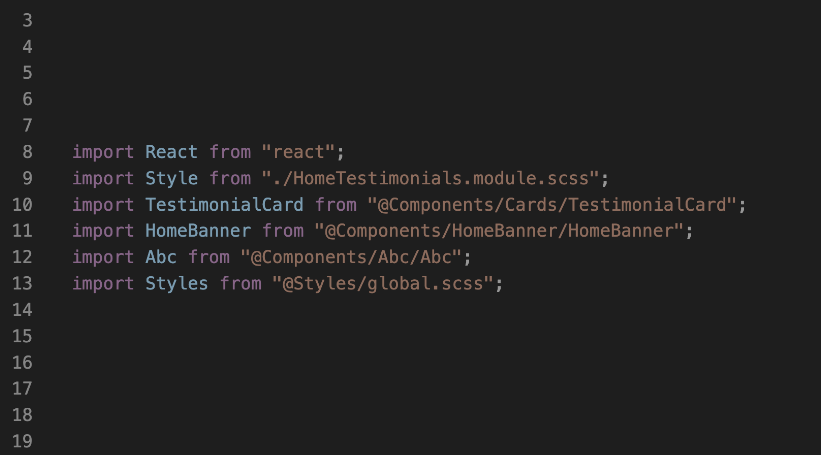

Next.js relative imports
In a relative import, the file’s import path should be relative to where the import statement is. Relative imports generally start with ./, ../, and so on.
Let’s consider a typical Next.js file structure:
project
    ├── components
    │      ├── Footer.js
    │      ├── Header.js
    │      └── Layout.js
Usually, when we have files like Header.js and Footer.js containing content that we can share across multiple pages, we would import them into a Layout.js file to compose the web pages. If we import those component files correctly in Layout.js, we will have the following imports in the top section like so:
import Header from './Header';
import Footer from './Footer';
Also, we have a pages/_app.js file in Next.js that lets us use the Layout component to wrap the top-level Component. So, let’s consider the following updated structure:
project
    ├── components
    │      ├── Footer.js
    │      ├── Header.js
    │      └── Layout.js
    │── pages
    │      ├── _app.js
    │      ├── ...
import Layout from '../components/Layout';
Let’s see another example. Imagine we have the following file structure:
project
   ...
    │── pages
    │      ├── blog
    │      │    │── index.js
    │      │    └── ...
    │      ├── _app.js
    │      ├── ...
    │── styles
    │      ├── Blog.module.css
    │      ├── ...
import styles from '../../styles/Blog.module.css';
'../../../styles/Blog.module.css';
The path can look even more complex for a very deeply nested path.
The problem may worsen if we change the file location, as this may require us to update the file paths. To improve the developer experience, we will learn how to configure a Next.js project to support absolute imports.
Next.js absolute imports
To get started, we will create a jsconfig.json in the root of our project and add the following configuration:
Configuring the baseUrl
It is common for developers to create a src folder in the project root to hold the working files. Let’s consider the following structure:
project
   ...
    │── src
    │    ├── components
    │    │── pages
    │    │── styles
    │    │── ...
    │
    │── jsconfig.json
In this case, we can tell JavaScript or TypeScript to look for files starting at the src folder by updating the baseUrl to point to src:
{
  "compilerOptions": {
    "baseUrl": "src"
  }
}
Configuring module aliases to simplify Next.js absolute imports
For more significant projects with different levels of deeply nested directories containing files, we may want to create custom module aliases to match different directories instead of matching only the base directories.
project
   ...
    │── src or App
    │    ├── components
    │    │       │── homeBenner
    │    │       │      │── Hero.js
    │    │       │      │── TestimonialCard.js
    │    │       │      │── ...
    │    │       │── blogPageCard
    │    │       │── ...
    │    │── pages
    │    │     │── index.js
    │    │     │── ...
    │    │── styles
    │    │── ...
    │
    │── jsconfig.json
import TestimonialCard from '@components/TestimonialCard'
The paths option jsconfig.json
{
  "compilerOptions": {
    "baseUrl": ".",
    "paths": {
      "@component/*": ["src/components/*"],
      "@images/*": ["src/public/images/*"],
      "@styles/*": ["src/public/styles/*"],
    }
  }
}
import Image from '@images/logo.svg'
import HomeBanner from '@component/HomeBanner'
import Styles from '@styles/globals.scss'
Top comments